Deeply Integrated Embedded PDF Reader for Notion
One-click smart highlighting, underlining, and area selection. All annotations sync to Notion automatically with an optimized experience superior to native PDF.js.
Why Choose PDFotion?The ultimate solution combining advanced PDF reading with Notion, providing a smoother and smarter research experience than native PDF.js.
Why Choose Notion PDF Reader?
Comprehensive PDF reading and annotation solution designed to enhance your productivity and streamline your document management workflow
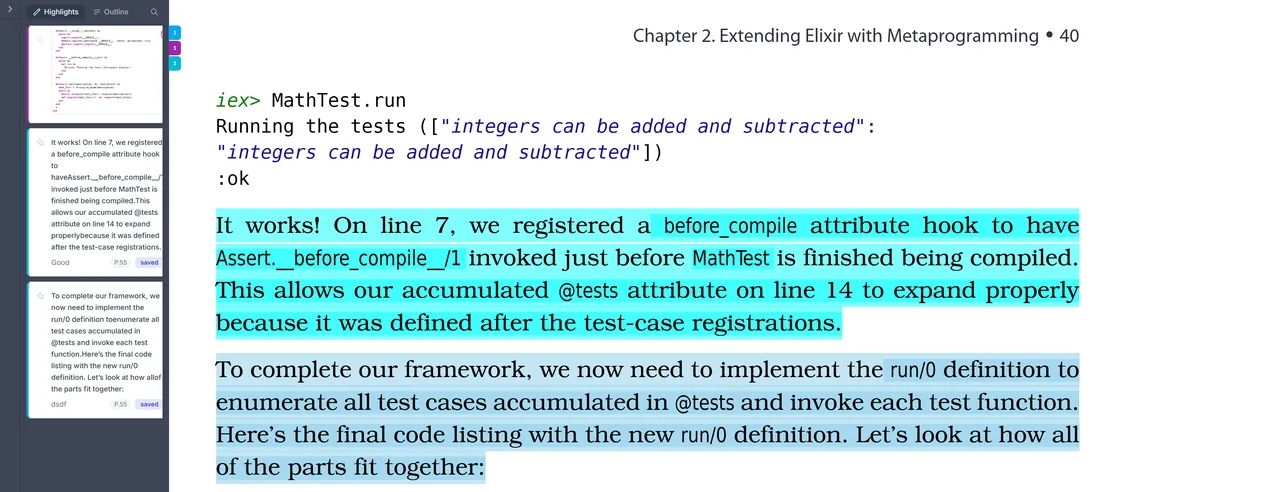
Smart Highlighting & Diverse Annotations
Highlight important PDF content with one click, auto-sync to Notion. Support for highlights, underlines, strikethroughs, and image area selection with multi-color support
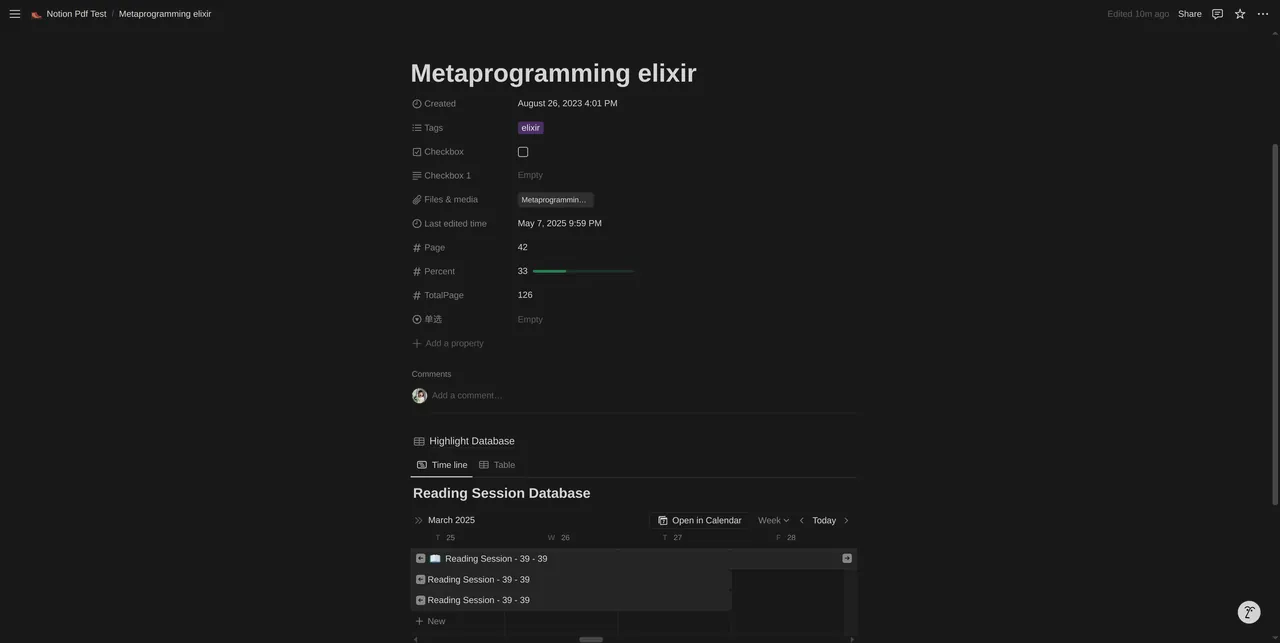
Reading Timeline
Automatically track your reading progress, review your learning journey, and improve reading efficiency
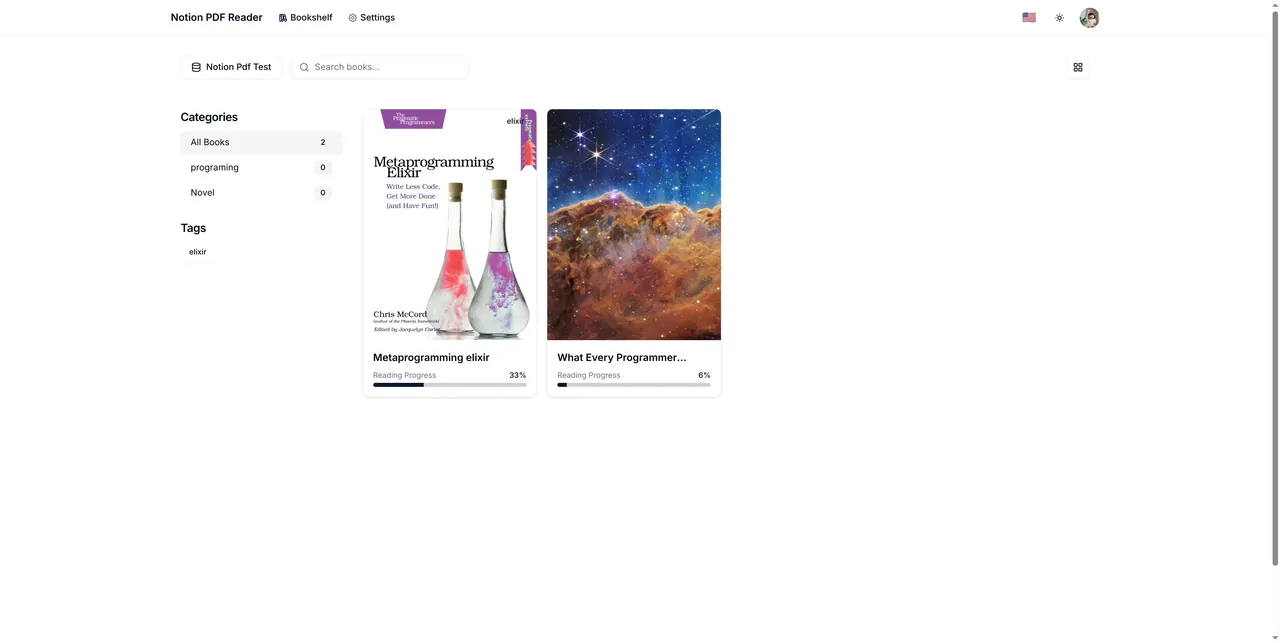
Cloud Bookshelf
Manage all PDF documents in one place with categories, tags, and quick search for access anywhere, anytime
Real-Time Notion Integration
Seamlessly sync all annotations, highlights, reading progress, and notes directly to your Notion workspace with real-time updates and automatic backup for secure knowledge management
Universal Cross-Platform Access
Access your PDF library and annotations anywhere, anytime with full synchronization across desktop computers, tablets, and mobile devices for uninterrupted productivity
Advanced Team Collaboration
Enable real-time team discussions through shared annotations, collaborative comments, and synchronized reading sessions for enhanced group learning and project coordination
Perfect for Everyone
Notion PDF Reader adapts to your specific needs, whether you're a student, researcher, or professional.
Students & Learners
Ideal for studying textbooks, academic papers, course materials, and research documents with smart note-taking and progress tracking
Academic Researchers & Scholars
Streamline literature reviews, organize research papers, manage citations, and collaborate on academic projects with advanced annotation tools
Knowledge Workers & Professionals
Efficiently manage business documents, training materials, reports, and reference guides with seamless Notion workspace integration
Teams & Organizations
Enable collaborative document review, shared knowledge bases, team training programs, and synchronized project documentation workflows
One-time payment, lifetime access*
$30 to unlock all premium features, no subscription needed.
Traditional PDF Reader
Standard features, no Notion integration
Mostly subscription model
- Unlimited PDF files
- Smart highlighting & annotations
- Reading progress tracking
- Real-time Notion sync
- Cross-platform support
- Team collaboration features
- Priority technical support
*Lifetime access is based on the continued availability and free access policy of the Notion API. All annotations and reading data are stored in your own Notion, so we don't incur additional storage costs, allowing us to offer a one-time payment model.
User Reviews:
Sarah Chen
Academic Researcher
Changed how I organize all my research papers!
Michael Johnson
Graduate Student
The sync with Notion is absolutely seamless.
Rebecca Liu
Knowledge Manager
Our team's productivity increased dramatically.
Feature Comparison
| Feature | Traditional PDF Reader | Notion PDF Reader |
|---|---|---|
| Notion Sync | ||
| Annotations | ||
| Progress Tracking | ||
| Team Features | ||
| Price | $0-20/month | $30 one-time |
Frequently Asked Questions
Find answers to commonly asked questions here.
We offer a single lifetime plan for a one-time payment of $30, giving you permanent* access to all premium features, including unlimited PDF files, smart annotations, real-time Notion sync, and more.
We can offer a one-time payment model because all your core data (annotations, notes, progress) is stored directly in your own Notion workspace. This significantly reduces our operational costs (no expensive cloud storage and database fees), and we pass these savings on to you. *Lifetime access is dependent on Notion API remaining available and free.
Your PDF files themselves can be stored in Notion or anywhere else you choose. All annotations, highlights, notes, and reading progress data are securely stored in your own Notion database page properties. We only store necessary account information and configuration data. We take data security and privacy very seriously.
We support various Notion property types to sync your reading data, including Text, Number, Select, Multi-select, and Files. You can flexibly configure properties for storing current page, reading progress, categories, and tags in the settings.
Users begin by linking their Notion Database to the application. Within this Database, a specific property must be designated to store PDF files (supporting both local uploads and external links). The application reads the PDF from this property to enable core features such as online PDF reading, reading progress tracking, timeline generation, and the creation of highlights and annotations. All data generated from these operations (like highlighted notes, reading logs, etc.) is automatically synchronized and saved back into the corresponding properties within the user's specified Notion Database, ensuring data ownership and centralized management for the user.